Reinforce your brand on
all your packaging
find out more...
If you have a Polybags username & password, please click here


There are 2 quick ways to find products you want:
1. Find by browsing categories (when you are unsure which product you want).
2. Find by searching (when you roughly know what you want).
Once you've found a product you want, add the quantity you want and
3. Add to your shopping basket
Add as many products as you want and when you're ready
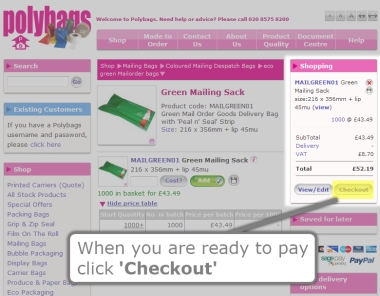
4. click 'Checkout' to pay for them
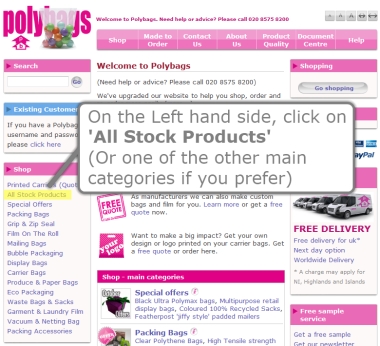
On the Left hand side, click on 'All Stock Products' (Or one of the other main categories if you prefer).
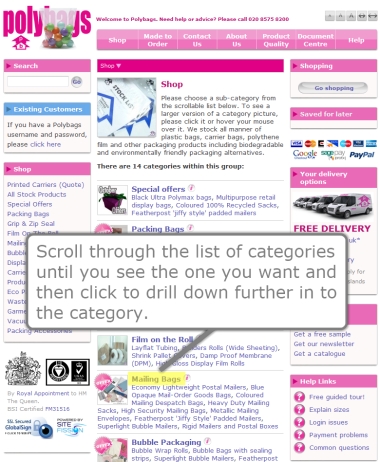
Scroll through the list of categories until you see the one you want and then click to drill down further in to the category.
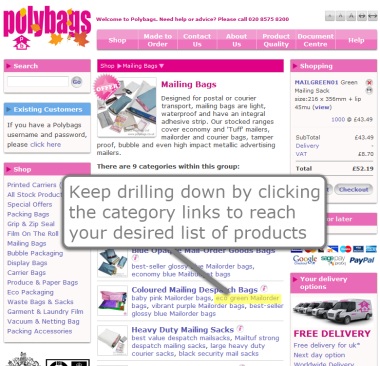
Keep drilling down by clicking the category links to reach your desired list of products.
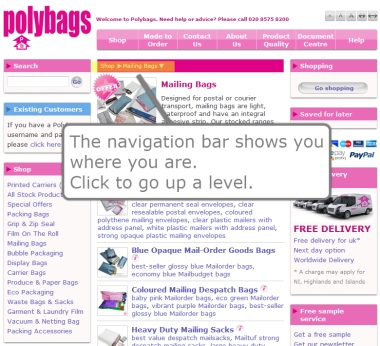
The navigation bar shows you where you are. Click to go up a level.
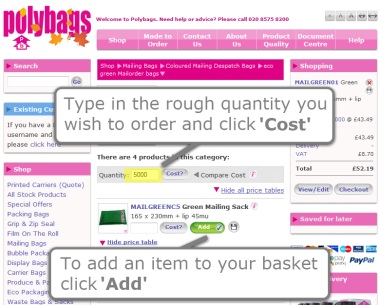
Type in the rough quantity you wish to order and click 'Cost'.
To add an item to your basket click 'Add'.
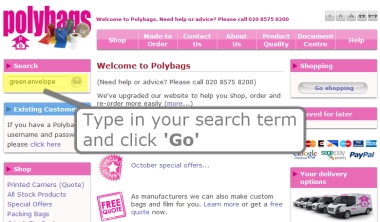
Type in your search term and click 'Go'.
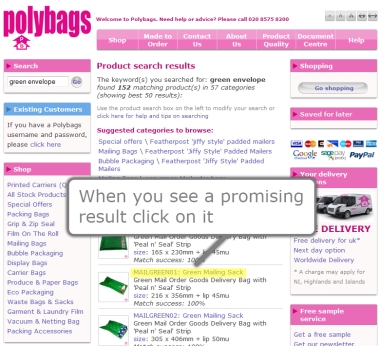
When you see a promising result click on it.
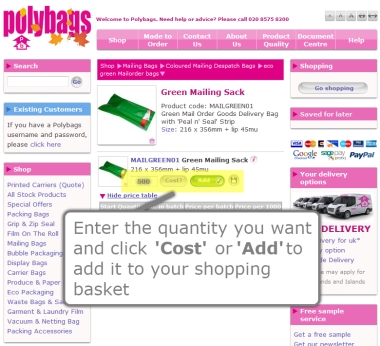
Enter the quantity you want and click 'Cost?' or 'Add' to add it to your shopping basket.
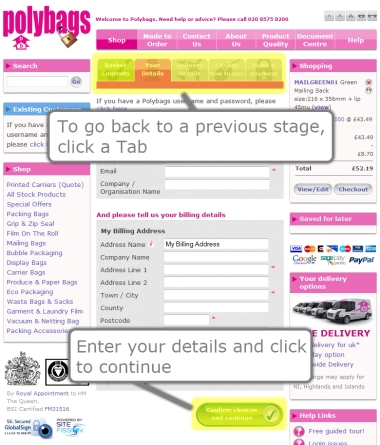
When you are ready to pay click 'Checkout'.
Enter your details and click to continue. To go back to a previous stage, click a Tab.